Deploying a Guitar Practice App on My Phone Kubernetes Cluster
Containerizing a React + FastAPI audio processing app and deploying it to a k3s cluster made of old smartphones.
The App
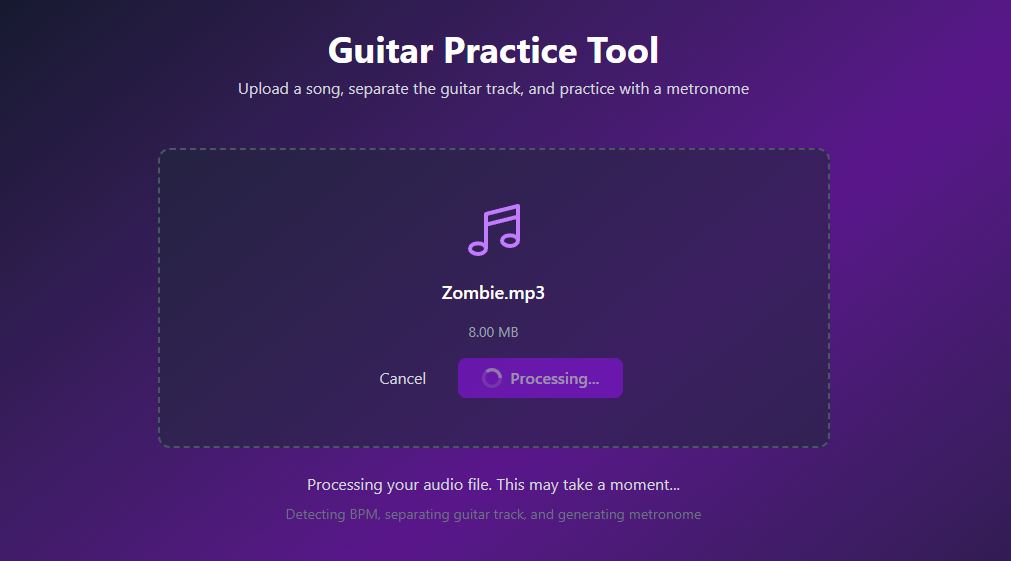
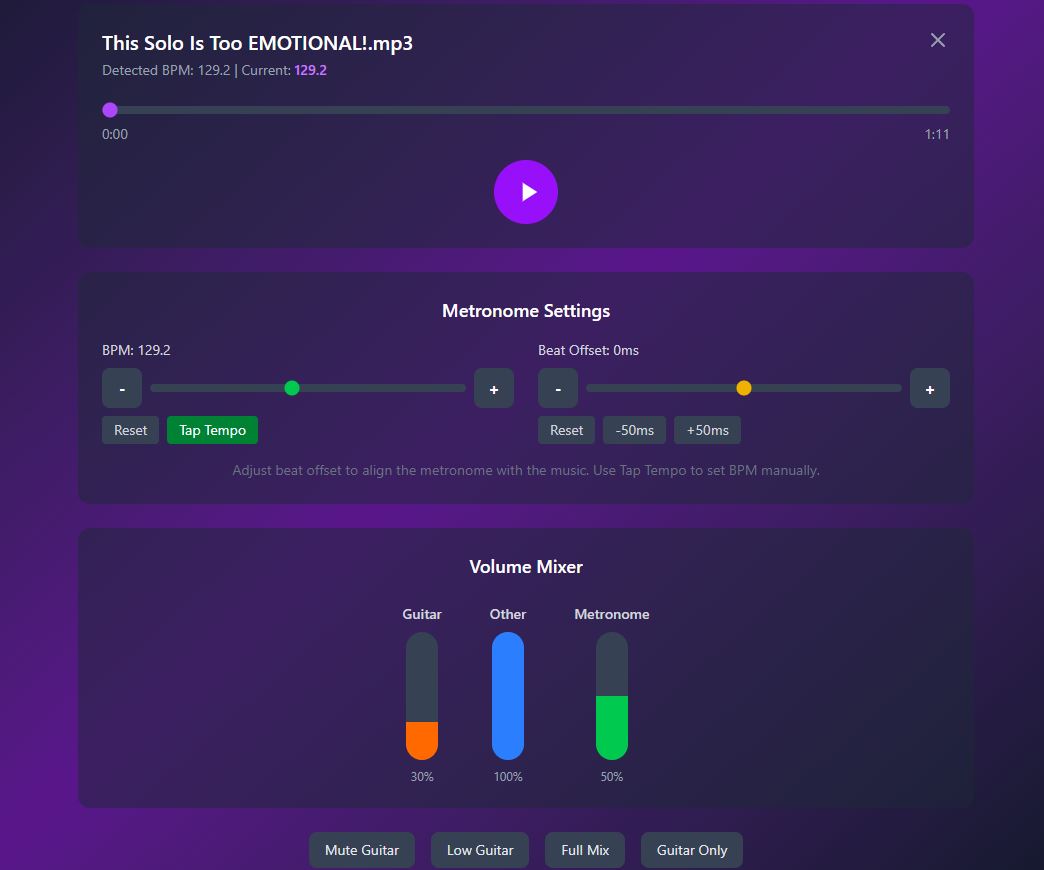
The Guitar Practice App by ivmos is a web application for guitar practice. Upload any audio file and it separates the guitar track from the rest of the instruments, detects the BPM, and generates a synchronized metronome — all in the browser. You can then control the volume of each stem independently: mute the guitar to play along yourself, or crank the metronome to nail the timing.
The tech stack: a React + Vite + Tailwind CSS frontend talks to a Python FastAPI backend that does the audio heavy lifting with librosa, numpy, and scipy. No database — just file uploads and processed WAV files.
I wanted to deploy this on my k3s homelab cluster — a Lenovo laptop and three OnePlus phones connected via USB running postmarketOS. This post covers the containerization and deployment process.
Architecture on the Cluster
Browser → MetalLB (192.168.100.202)
            ↓
    guitar-frontend (nginx)
      ├── /            → serves React SPA
      ├── /api/*       → proxy to guitar-backend:8000
      └── /processed/* → proxy to guitar-backend:8000
            ↓
    guitar-backend (FastAPI + librosa)
      ├── uploads/
      └── processed/
Both services run on k3master (the laptop) because the backend needs significant CPU for audio processing — librosa's BPM detection and FFT-based stem separation can spike to 100% CPU on large files. The phones serve as workers for other workloads.
Step 1: Fix Hardcoded URLs
The original app was built for local development with
localhost:8000 hardcoded in the frontend. In Kubernetes,
the frontend nginx container proxies API requests to the backend
service, so we need relative URLs:
cd /tmp/ivmos-guitar-practice-app

# Replace hardcoded localhost with relative paths
sed -i "s|http://localhost:8000/api/|/api/|g" frontend/src/App.jsx
sed -i "s|const API_BASE = 'http://localhost:8000'|const API_BASE = ''|g" frontend/src/components/AudioPlayer.jsx

# Verify no localhost references remain
grep -r "localhost:8000" frontend/src/
# Should return empty
Step 2: Create Dockerfiles
The original repo doesn't include Dockerfiles, so we create them.
Backend
The backend needs Python 3.11 with native audio libraries — libsndfile for reading audio formats and ffmpeg for conversion:
FROM python:3.11-slim

RUN apt-get update && apt-get install -y --no-install-recommends \
    libsndfile1 ffmpeg && \
    rm -rf /var/lib/apt/lists/*

WORKDIR /app
COPY requirements.txt .
RUN pip install --no-cache-dir -r requirements.txt

COPY main.py .

RUN mkdir -p uploads processed

EXPOSE 8000
CMD ["uvicorn", "main:app", "--host", "0.0.0.0", "--port", "8000"]
Frontend
Multi-stage build: Node builds the React app, then nginx serves the static files and proxies API requests to the backend:
FROM node:20-alpine AS build
WORKDIR /app
COPY package*.json ./
RUN npm ci
COPY . .
RUN npm run build

FROM nginx:alpine
COPY --from=build /app/dist /usr/share/nginx/html
COPY nginx.conf /etc/nginx/conf.d/default.conf
EXPOSE 80
Nginx Config
The nginx config is the glue — it serves the React SPA for any route and
proxies /api/ and /processed/ to the backend
Kubernetes service by name:
server {
    listen 80;
    root /usr/share/nginx/html;
    index index.html;

    location / {
        try_files $uri $uri/ /index.html;
    }

    location /api/ {
        proxy_pass http://guitar-backend:8000;
        proxy_set_header Host $host;
        proxy_set_header X-Real-IP $remote_addr;
        client_max_body_size 100M;
    }

    location /processed/ {
        proxy_pass http://guitar-backend:8000;
    }
}
The client_max_body_size 100M is important — audio files
can be large and nginx defaults to 1MB.
The proxy_pass http://guitar-backend:8000 works because
Kubernetes DNS resolves the service name guitar-backend to
the ClusterIP automatically.
Step 3: Build Images
My cluster runs k3s with containerd, so I build with Docker and import into k3s:
cd /tmp/ivmos-guitar-practice-app/backend
sudo docker build -t guitar-backend:latest .

cd /tmp/ivmos-guitar-practice-app/frontend
sudo docker build -t guitar-frontend:latest .

# Import into k3s containerd
sudo docker save guitar-backend:latest | sudo k3s ctr images import -
sudo docker save guitar-frontend:latest | sudo k3s ctr images import -

# Verify
sudo k3s ctr images ls | grep guitar
Step 4: Deploy to k3s
Both deployments are pinned to k3master with nodeSelector.
The frontend service gets a MetalLB LoadBalancer IP so it's accessible
from the local network.
apiVersion: apps/v1
kind: Deployment
metadata:
  name: guitar-backend
spec:
  replicas: 1
  selector:
    matchLabels:
      app: guitar-backend
  template:
    metadata:
      labels:
        app: guitar-backend
    spec:
      nodeSelector:
        kubernetes.io/hostname: k3master
      containers:
      - name: backend
        image: docker.io/library/guitar-backend:latest
        imagePullPolicy: Never
        ports:
        - containerPort: 8000
        resources:
          requests:
            memory: 256Mi
          limits:
            memory: 1Gi
---
apiVersion: v1
kind: Service
metadata:
  name: guitar-backend
spec:
  selector:
    app: guitar-backend
  ports:
  - port: 8000
    targetPort: 8000
---
apiVersion: apps/v1
kind: Deployment
metadata:
  name: guitar-frontend
spec:
  replicas: 1
  selector:
    matchLabels:
      app: guitar-frontend
  template:
    metadata:
      labels:
        app: guitar-frontend
    spec:
      nodeSelector:
        kubernetes.io/hostname: k3master
      containers:
      - name: frontend
        image: docker.io/library/guitar-frontend:latest
        imagePullPolicy: Never
        ports:
        - containerPort: 80
---
apiVersion: v1
kind: Service
metadata:
  name: guitar-frontend
spec:
  type: LoadBalancer
  selector:
    app: guitar-frontend
  ports:
  - port: 80
    targetPort: 80
MetalLB assigns an IP from the homelab pool (in my case 192.168.100.202). Open it in a browser and you should see the upload interface.
Key Decisions
imagePullPolicy: Never — The images are
built locally and imported into containerd. Without this flag, k3s would
try to pull from Docker Hub and fail.
Backend pinned to k3master — The audio processing (FFT, BPM detection) is CPU-intensive. The backend image is also amd64-only since we built it on the laptop.
ClusterIP for backend, LoadBalancer for frontend — The
backend doesn't need external access. The frontend nginx proxies all API
traffic internally using Kubernetes service DNS
(guitar-backend:8000). Only the frontend gets a MetalLB IP.
1Gi memory limit on backend — librosa loads entire audio files into memory as numpy arrays. A 5-minute WAV at 44.1kHz stereo is about 100MB in memory, and the FFT operations roughly double that.
How It Works
- Upload an MP3/WAV/FLAC file through the browser
- The backend detects BPM using librosa's beat tracking algorithm
- It separates the audio into "guitar" (80Hz–5kHz band) and "other" (everything else) using STFT frequency masking
- A metronome click track is generated at the detected BPM
- All stems are served as WAV files that the frontend plays simultaneously
- Volume sliders let you mix stems in real-time — mute the guitar to practice the part yourself
The frequency-based separation is a simple bandpass filter, not AI. The
original app supports Demucs (a neural network stem separator) via the
USE_DEMUCS=true environment variable for higher quality,
but that would need a GPU or significantly more RAM.
Credits
The Guitar Practice App was created by ivmos. The original repository is at github.com/ivmos/ivmos-guitar-practice-app. I containerized it and deployed it to my k3s phone cluster as described above.
The k3s phone cluster setup is documented in my other blog post: I Built a Kubernetes Cluster from Old Phones and a Laptop.